Presets
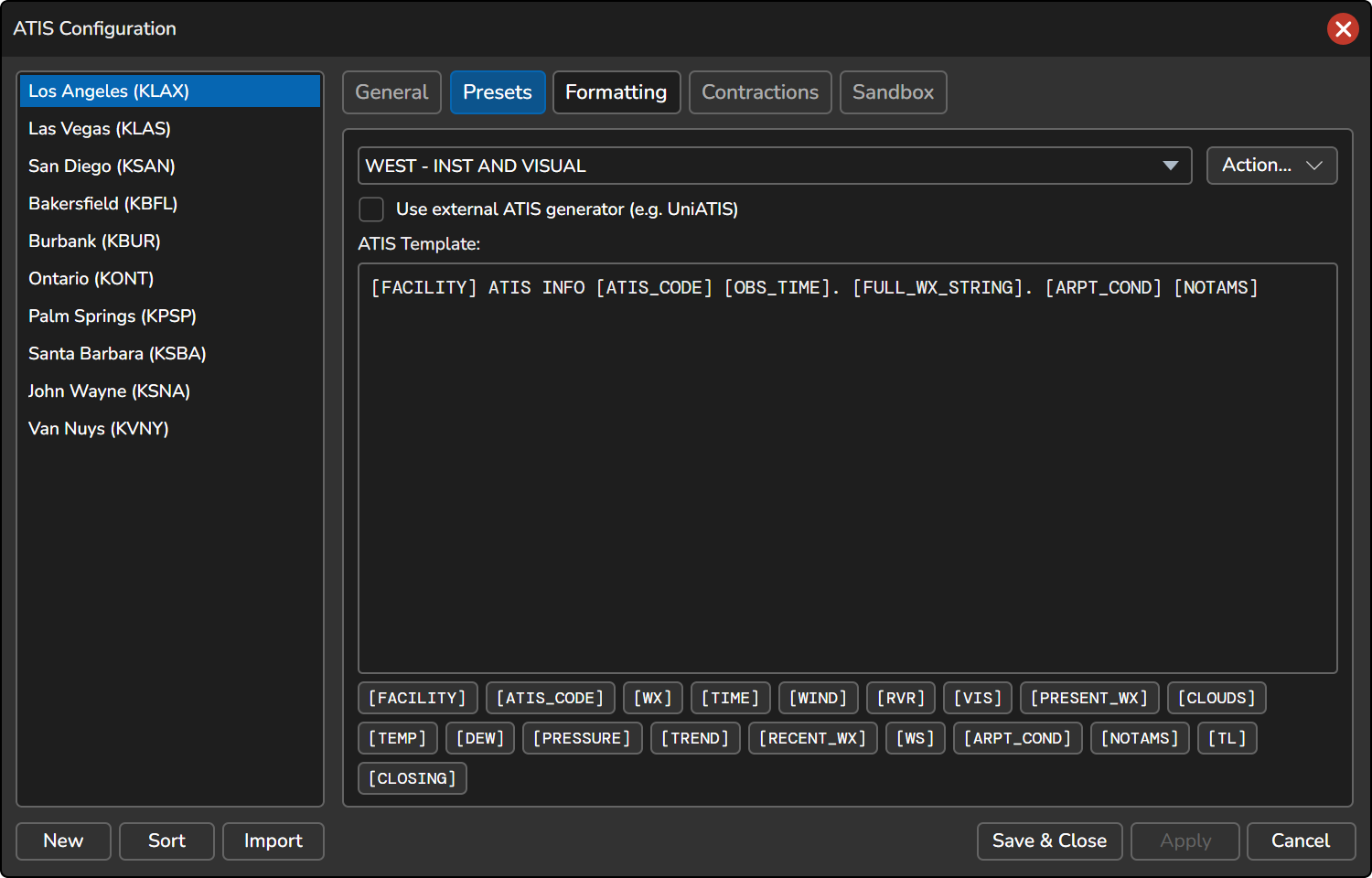
The Presets tab allows you to manage your presets by adding, copying, renaming, or deleting them. The text box below the dropdown list is where you can customize the ATIS template. When an ATIS is generated, the variables will be replaced with actual data. If the Composite is configured to use Text to Speech, the template text will be synthesized and transmitted.
You can use the following variables in the ATIS template. If you want to use the voice translated text instead of the raw text value in the text ATIS, you can optionally suffix the variable name with :VOX (e.g., [WX:VOX]).
| Variable | Definition |
|---|---|
[FACILITY] | The name of the ATIS facility (airport name) |
[ATIS_CODE][ATIS_LETTER][LETTER][ID]
| The current ATIS letter code |
[WX][FULL_WX_STRING]
| Inserts the weather elements in the standard order:Surface Wind, Visibility, RVR, Present Weather, Clouds, Temperature, Dew Point, Altimeter
|
[OBS_TIME][TIME]
| The observation time of the METAR |
[WIND][SURFACE_WIND]
| The reported surface wind |
[RVR] | The runway visibility range (if available) |
[VIS][PREVAILING_VISIBILITY]
| The prevailing visibility |
[PRESENT_WX][PRESENT_WEATHER]
| The present weather conditions (e.g., rain, snow, hail, etc.) |
[CLOUDS] | The reported cloud conditions |
[TEMP] | The reported temperature |
[DEW] | The reported dew point temperature |
[PRESSURE] | The reported pressure value |
[TREND] | The TREND forecast from the METAR |
[RECENT_WX] | The recent weather conditions |
[ARPT_COND] | Inserts the text from the free-form Airport Conditions field, followed by any selected static text options |
[NOTAMS] | Inserts the text from the free-form NOTAMS field, followed by any selected static text options |
[TL] | Inserts the transition level based on the configured ranges in the Transition Level formatting tab (non-US ATIS only) |
[CLOSING] | Inserts the closing statement message |
External ATIS Generator
Use external ATIS generator (e.g. UniATIS)
When this option is enabled, you can configure vATIS to utilize an external source for generating the ATIS text. Please note that you need to have a Preset selected before configuring an external ATIS generator.
- URL The URL of the external ATIS generator.
-
Arrival Runway The arrival runway(s). You can include the variable
$arrrwyin the URL to automatically append the value of the Arrival Runway field. -
Departure Runway The departure runway(s). You can include the variable
$deprwyin the URL to automatically append the value of the Departure Runway field. -
Approaches in Use The approaches currently in use. You can include the variable
$appin the URL to automatically append the value of the Approaches in Use field. -
Remarks Pertinent remarks. You can include the variable
$remarksin the URL to automatically append the value of the Remarks field.
Additional variables include:
-
$metarThe current METAR string -
$atiscodeThe current ATIS letter
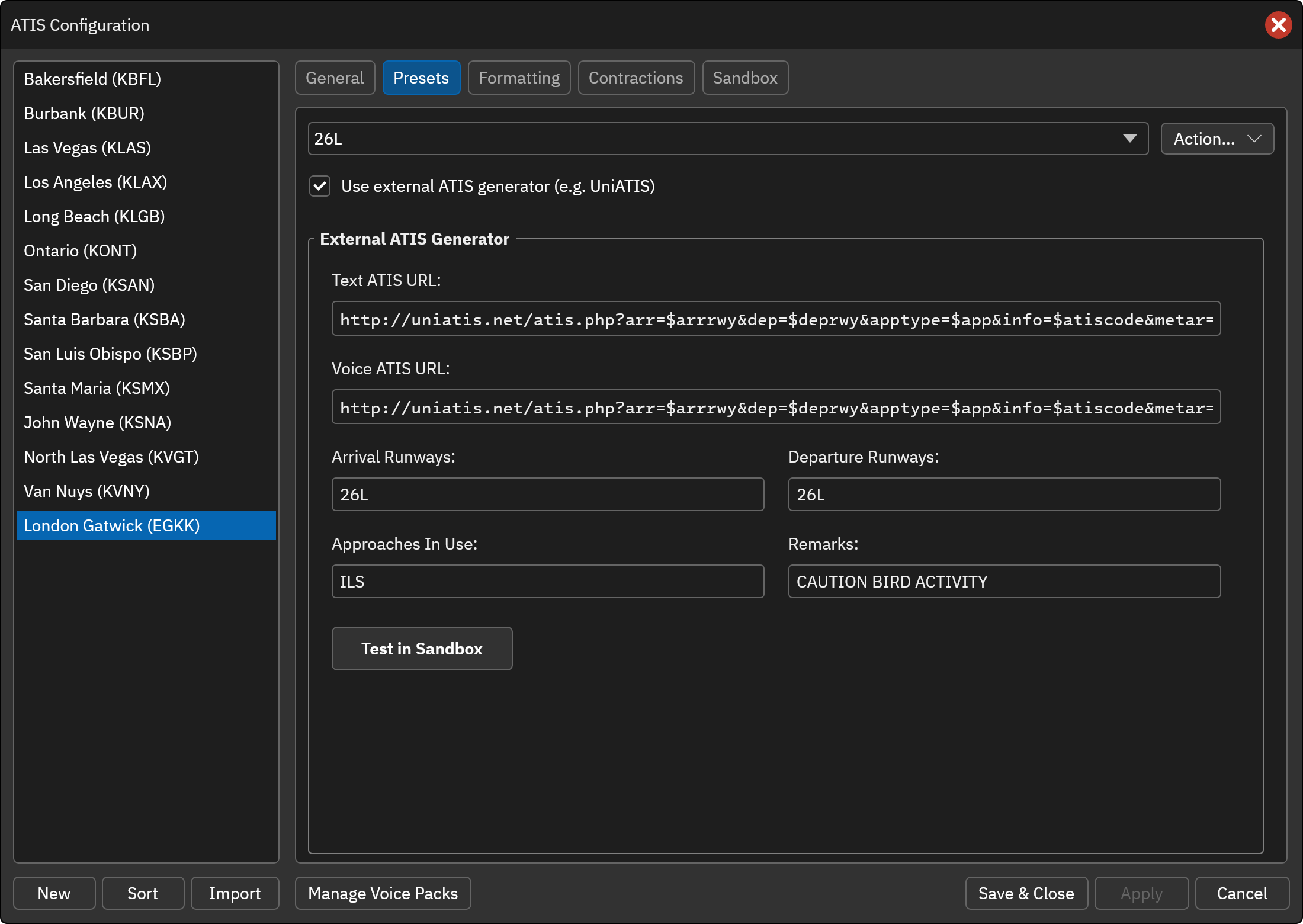
Click Test in Sandbox to apply your changes and open this preset in the Sandbox, where you can enter or fetch a METAR and generate the ATIS.
D-ATIS
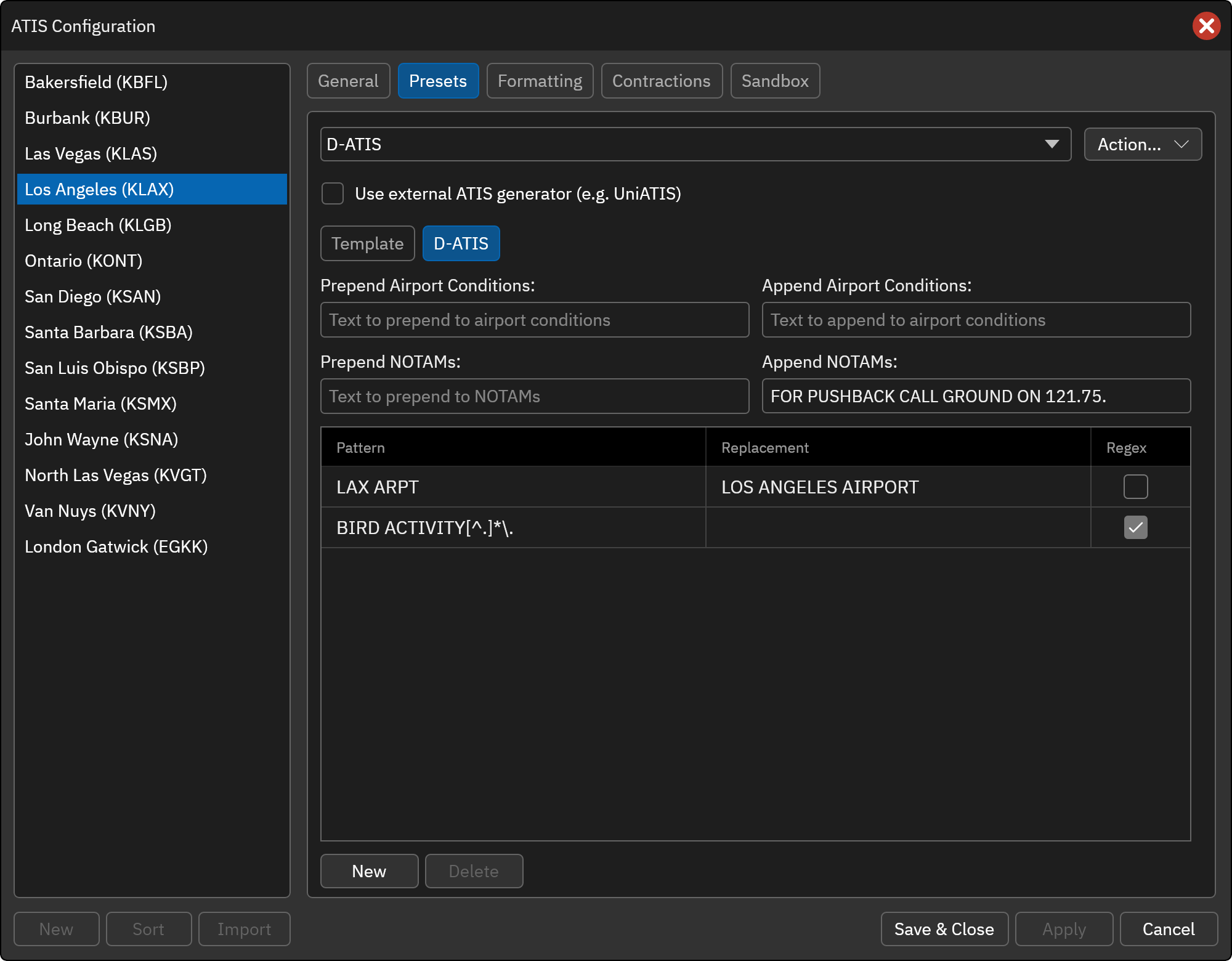
When the selected preset is named D-ATIS a D-ATIS sub-tab is shown next to the Template sub-tab. It controls how the real-world D-ATIS is adjusted before it is placed in the Airport Conditions and NOTAMs fields when Automatically fetch D-ATIS is enabled. The settings are saved per station.
- Prepend / Append Airport Conditions: Text added before or after the fetched airport conditions.
- Prepend / Append NOTAMs: Text added before or after the fetched NOTAMs.
-
Text replacements: A list of rules applied to the fetched text, in order from top to bottom.
- Pattern: The text to find.
- Replacement: The text to put in its place. Leave empty to remove the matched text.
- Regex: If checked, the pattern is a regular expression. A single trailing comma, period or semicolon after a regex match is removed with it.
Use New to add a rule and Delete to remove the selected rule. Rules with an empty pattern are ignored, and an invalid regular expression is skipped.
The Sandbox also fetches the current real-world D-ATIS when the D-ATIS preset is selected, so you can use it to check the effect of these settings.